Leviathan Recon works from reports you export yourself. There is no API connection to your account and no credential of yours for Recon to hold. You upload the files from Seller Central, and Recon rebuilds your unit ledger from them.
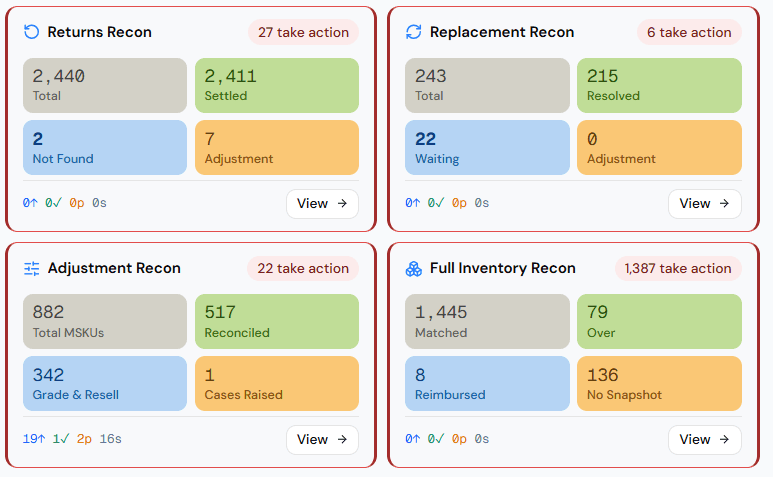
A separate reconciliation for each way a unit goes missing.
Leviathan Recon rebuilds your FBA ledger from the reports you export, then runs a separate reconciliation for shipments, returns, removals, replacements, transfers, graded stock and adjustments. Each one ends in a status you can open and trace back to the source rows.
14 days free · Card-free · Works from your own exports
Leviathan Recon
Slide 1 of 2
The problem
Seller Central gives you a number. Not the ledger behind it.
When your FBA stock doesn't match what you sent, Amazon's inventory figure is the only answer you get, and there is nothing to check it against. The reports that would explain it are separate downloads, covering different date ranges, and they don't all carry the same identifier.
So most sellers pick one of three: a spreadsheet and a lost weekend, a tool that shows a claim estimate without the ledger behind it, or letting it go. Recon is the fourth option: the ledger itself, rebuilt from files you already have.
How it works
Three steps, and you do the third one.
01
Export and upload
Four reports are enough to start: Shipped to FBA, Inventory Event Detail, Reimbursements and Inbound Shipments. Upload the same file twice and nothing is counted twice; duplicate rows are skipped, and you see how many.
02
Read your statuses
Recon rebuilds your unit ledger per FNSKU, sets it against Amazon's ending balance, and gives every FNSKU a status. Open any figure to see the rows it came from.
03
Raise the case yourself
Recon names the discrepancy and shows the units behind it. You open the case in Seller Central, and Recon tracks what you raised and what came back.
The modules
Units go missing in different ways. Each gets its own reconciliation.
One inventory number can't tell you whether a unit was lost inbound, damaged in a return, never sent back from a removal, or absorbed into an adjustment. Each is a different question with a different paper trail.
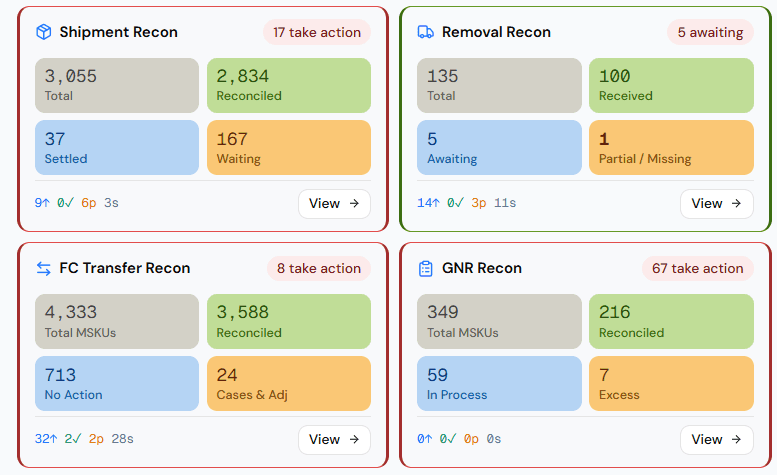
Shipment reconciliation
Did FBA receive what you actually shipped?
Removal reconciliation
Did your removal orders come back complete, damaged, or not at all?
Returns reconciliation
Did each refunded return land back in sellable stock, or get reimbursed?
Replacement reconciliation
Was every replacement unit covered by a return or a reimbursement?
FC transfer reconciliation
Did transfers between fulfilment centres net to zero?
Grade & Resell reconciliation
Where did your graded units finally land?
Adjustment reconciliation
What did Amazon's inventory adjustments actually change?
Full inventory reconciliation
Your master balance per FNSKU, against Amazon's.
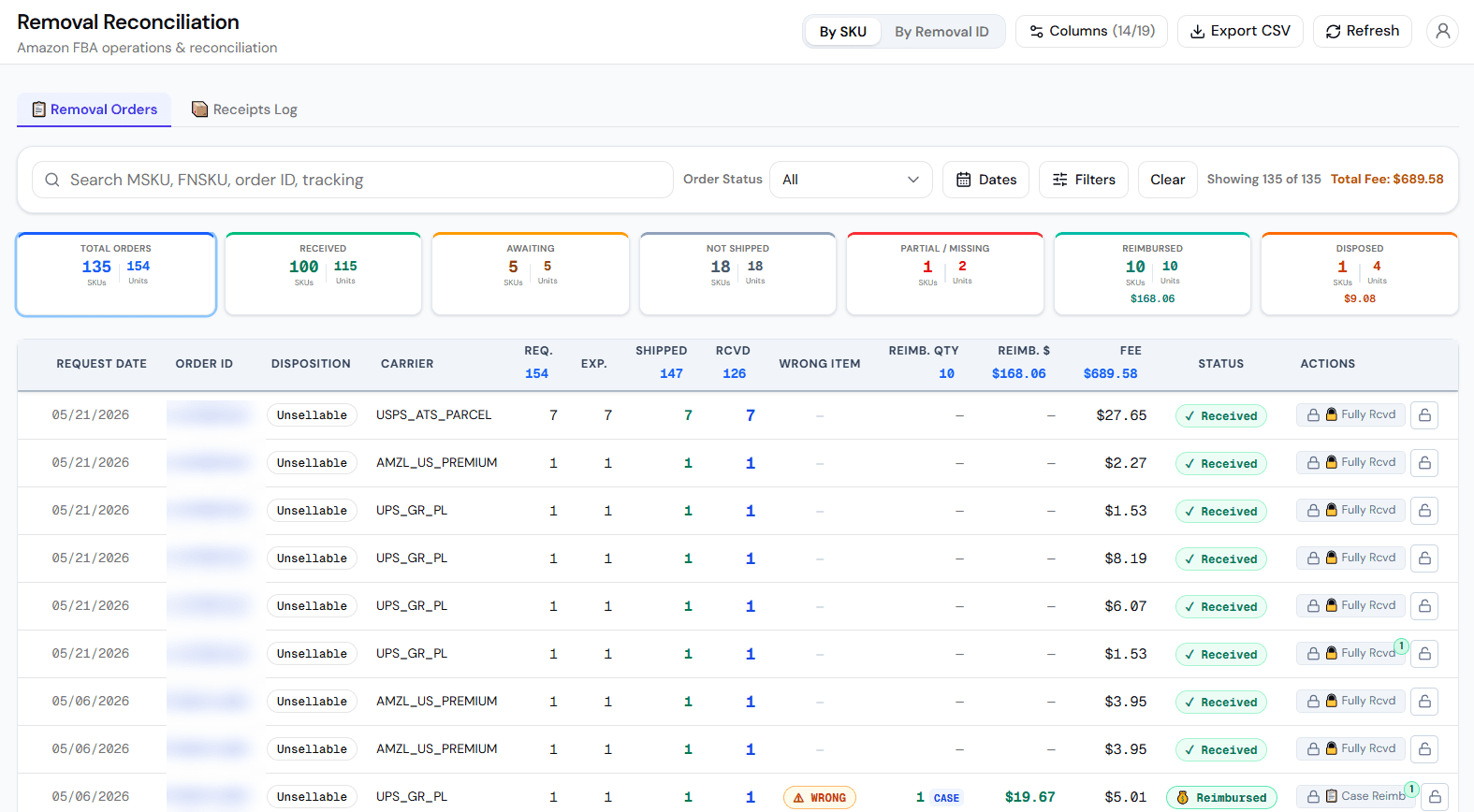
Removal reconciliation
Requested, shipped and received per order, with the fee Amazon charged and anything it reimbursed.
Leviathan Recon
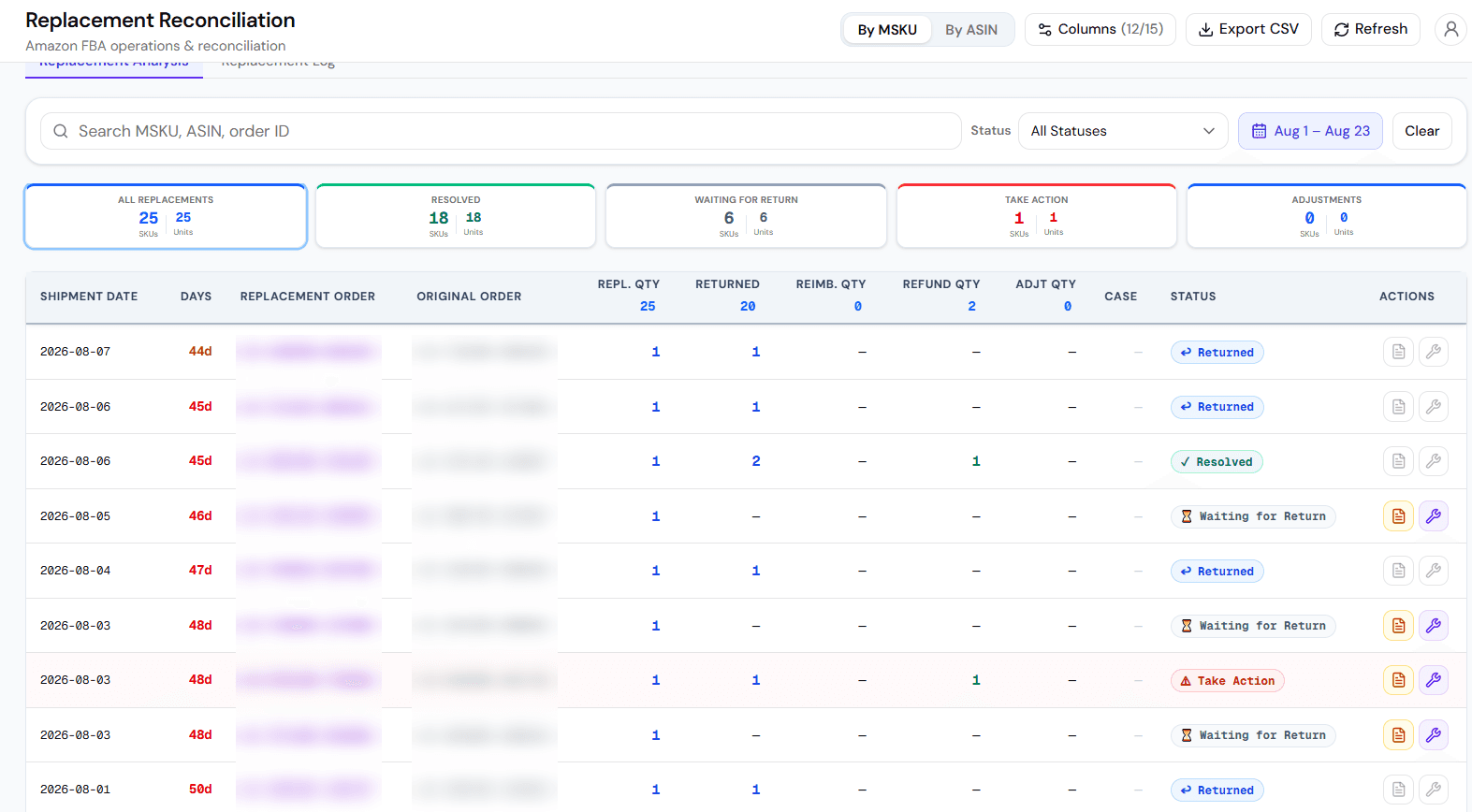
Replacement reconciliation
Each replacement set against the return, refund or reimbursement that should cover it.
Leviathan Recon
Adjustment reconciliation
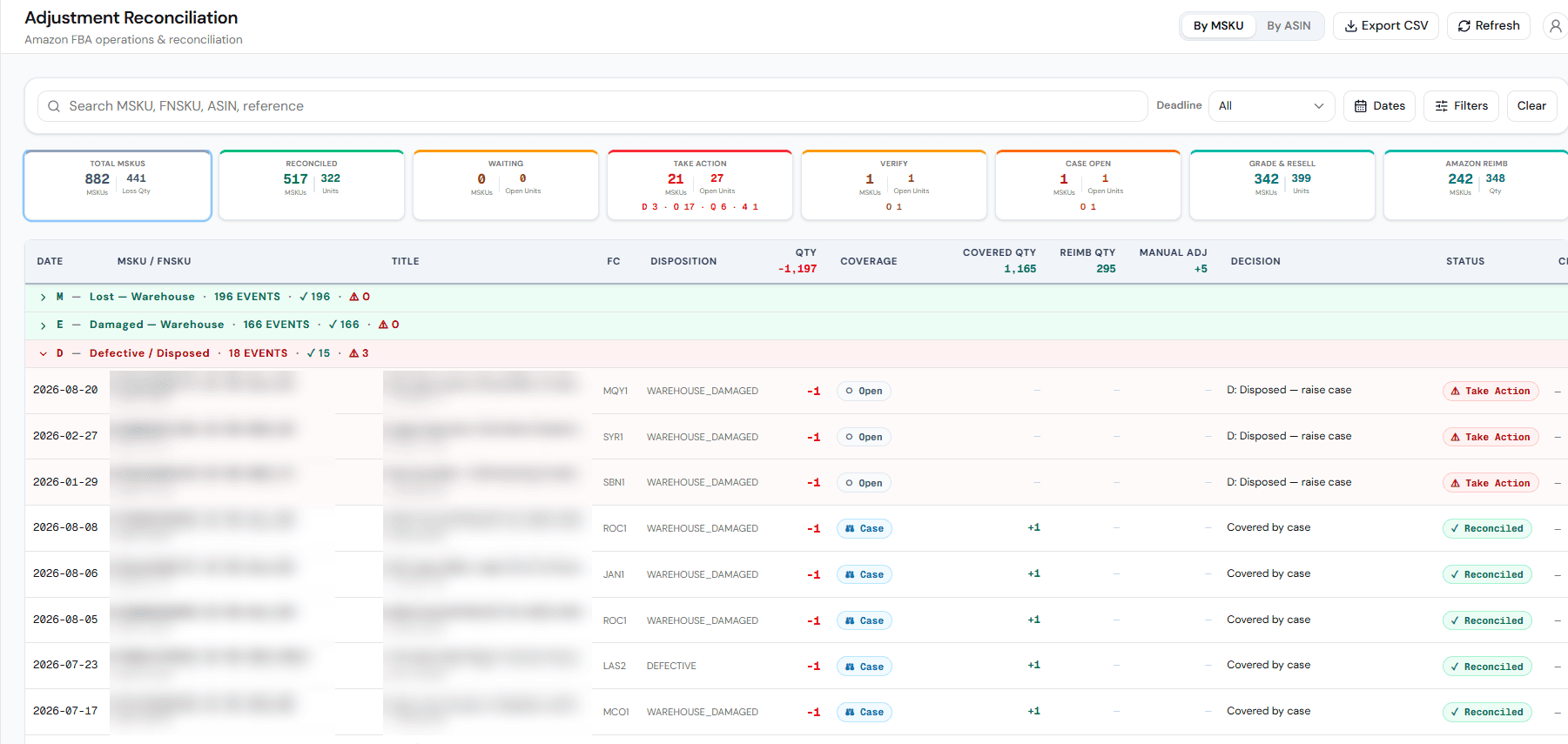
Each adjustment Amazon made, grouped by type, with whether a case or reimbursement already covers it.
Leviathan Recon
Slide 1 of 3
The statuses
Every FNSKU comes back with a status.
- Reconciled
- Amazon agrees with your ledger. Nothing to do.
- Over
- Amazon shows more units than your ledger can account for.
- Reimbursed
- Short — but Amazon has already reimbursed the gap.
- Take Action
- Short, and not reimbursed. This is where your money is.
- No Snapshot
- Amazon's inventory report has no balance for this item yet.
Take Action is the status that matters: a specific quantity of a specific FNSKU that Amazon's own reports can't explain. That is what a case is built on.
Your data, your check
Open the number, read the rows.
Data Explorer
Every report you've uploaded, as searchable, filterable tables you can export to CSV. When a figure looks wrong, you open the rows yourself.
Action Center
Each discrepancy becomes a tracked case, per module, with its reason, case ID, status, remarks and attachments.
Your dashboard
Shipped, received, net shortage, reimbursed, in stock and unrecovered on one screen, each a click away from the rows behind it.
Security and data
Your Amazon account stays yours.
Works from your exports
You export the reports and upload them. Recon reads those files, and that is the only way your data reaches it.
Your Seller Central login stays with you
Signup asks for your email and business details. After that, Recon works from the reports you upload.
It reads your exports. You act in Amazon.
Recon reads the files you upload and rebuilds your ledger. Acting on your account stays with you, in Seller Central.
Your own workspace
There is a separate workspace per client, not a shared table.
Roles and an audit log
Admin, Vendor and Viewer roles, permissions per module per person, and a record of every change.
Export anytime
Every table exports to CSV. What you find during the trial is yours to keep.
Common questions.
Four: Shipped to FBA, Inventory Event Detail, Reimbursements and Inbound Shipments. Those are enough to see your inbound shortages. The full set of sixteen unlocks every module.
A reimbursement tool usually connects to your account and shows an estimate of what can be claimed. Recon shows the ledger a claim would come from, per FNSKU, built from your own reports, so you can check the figures before you raise a case.
FNSKU is the label Amazon uses to track units in its fulfilment network. Reconciling at SKU level can hide a discrepancy when more than one FNSKU sits under the same SKU.
Duplicate rows are detected and skipped. Your counts don't change, and you see how many rows were skipped.
Yes. Admin, Vendor and Viewer roles, with permissions per module per person, and an audit log of every change.
The trial is free for 14 days with no card. After that, pricing is quoted on your account size and the marketplaces you sell in.
Inbound-loss reimbursements are keyed to the FNSKU, not the shipment. When one FNSKU is spread across several shipments, Amazon pools the reimbursement at the FNSKU. Recon shows you that pool, with the shipments it could belong to, so you can decide rather than trust a guess.
Try Leviathan Recon free for fourteen days.
Verify your email and your workspace is provisioned within three business days. Then upload four reports and see your own ledger. No card at any point.